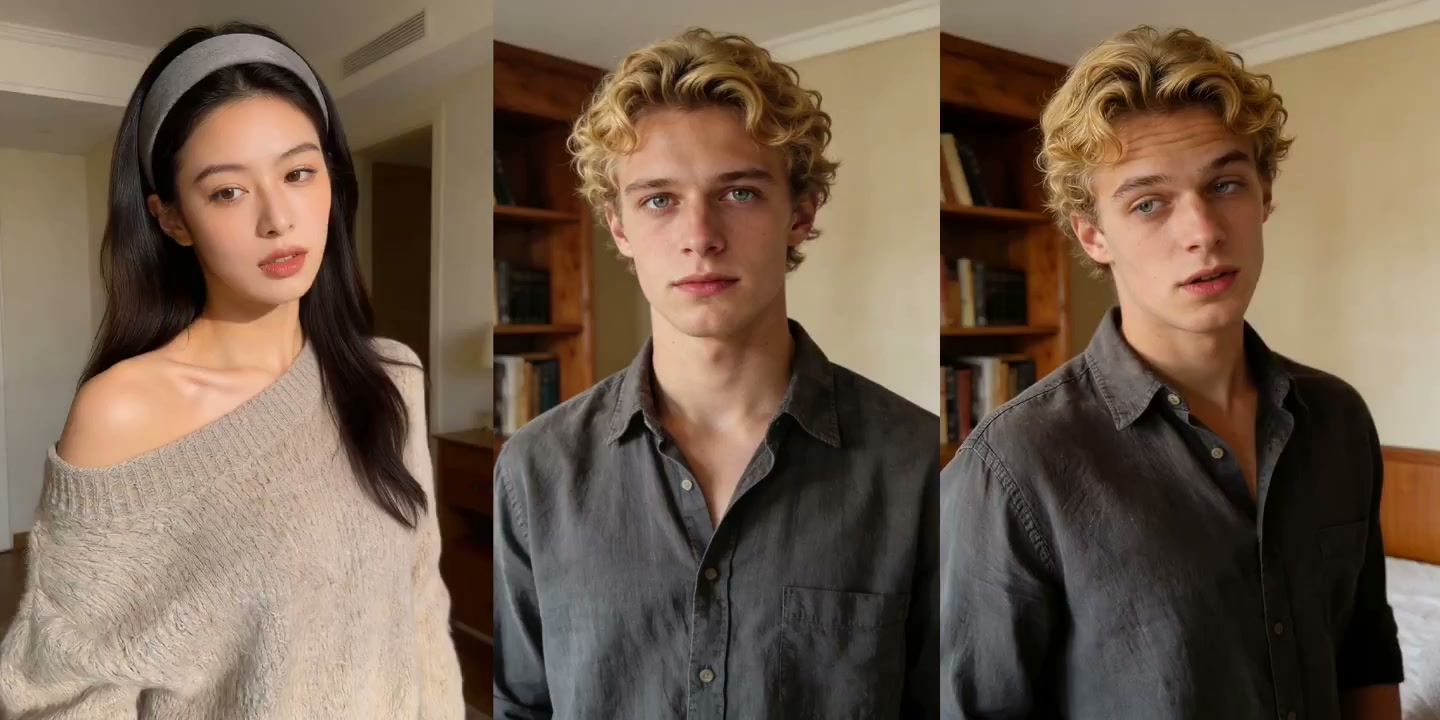
AI Mimic Motion Generator
720p costs 20 credits/sec; 1080p costs 35 credits/sec. Total cost is based on the uploaded video's duration.
What an AI mimic motion generator actually does
Text-to-video guesses at movement from a written prompt. Mimic motion does not guess. You hand it the movement you already want as a reference clip, and it maps that motion onto your image. Motion Control AI runs this as a motion-control workflow, so the output tracks the reference beat by beat instead of drifting into something generic.
The reference clip is the instruction
Instead of describing a gesture in words, hand over a clip that already has it. Movement, rhythm, and body angle come straight from that footage.
One still image is enough
A portrait, an avatar, an illustrated character, a mascot. Mimic motion works from a single frame, so you never need existing video of your subject.
Pose, gesture, and timing carry over
Full-body movement transfers, not just a head or a mouth. That is the gap between mimic motion AI and a face-swap filter.
Your character keeps their look
Face, outfit, and art style stay anchored to your uploaded image while the motion changes. That consistency is what makes the tool usable for a recurring character.
Re-run until the take lands
Swap the image or the reference clip and generate again. Every result stays in My Creations for download.
What creators build with mimic motion AI
The AI mimic motion generator fits any job where the movement already exists on video and you need a different subject to perform it.
Put a full routine onto a single photo
Feed the generator a choreography clip and a portrait, and the routine replays with your subject. Useful for dance covers, trend participation, and turning one promo still into a performance.
Animate a character that has never been filmed
Game avatars, anime characters, and cosplay stills all take motion the same way. Because the movement comes from footage you choose, the same character can perform consistently across a whole series.
Present on camera without being on camera
Drive a stand-in presenter with your own reference take. You keep the delivery and the timing; the face on screen is the one you uploaded.
Carry across expression, not just body motion
Head turns, eye direction, and mouth movement come through with the body, so a talking clip reads as a performance rather than a puppet.
Make a mimic motion video in three steps
The generator on this page is the same motion-control engine used across Motion Control AI.
Upload the photo you want to animate
Front-facing, well lit, subject fully in frame. Results improve when hands and shoulders are visible; blurry or tightly cropped photos are where motion transfer falls apart.
Add the reference clip to mimic
A short video, roughly three to ten seconds, holding the movement you want. Keep one clear subject in frame — crowded footage makes the motion harder to isolate.
Generate, review, download
Run it, watch the preview, then download the clip or try again with a different reference. Every result is saved in My Creations.
Why creators pick this AI mimic motion generator
Motion control rather than a one-click filter — you choose the subject, the movement, and how closely the output tracks the reference.
Reference-locked motion transfer
Output follows the reference clip's pose and timing instead of reinterpreting it, so what you approve is what you get.
Character consistency
Identity, clothing, and style hold across the clip — the thing that matters most when one character appears in a series.
Any art style
Photographs, 3D renders, anime, and flat illustration all run through the same pipeline.
Built for vertical short-form
Output drops straight into TikTok, Reels, and Shorts edits without reframing gymnastics.
Cheap to iterate
Change one input and re-run. Finding the right reference clip usually takes two or three passes.
Predictable credit cost
Every run has a known credit price before you start, and failed tasks are refunded automatically.
Mimic motion FAQ
Common questions about references, inputs, and results.
What is an AI mimic motion generator?
An AI mimic motion generator takes a still image plus a reference video and produces a new clip in which your image performs the movement from that video. Pose, timing, and body dynamics all come from the reference, which puts mimic motion closer to motion capture than to a preset animation filter.
How is mimic motion different from a face swap?
Face swap replaces a face inside existing footage and leaves the body alone. Mimic motion works the other way around: your subject is the one being animated, full body included, and the reference clip supplies nothing but the movement. Nobody from the reference video appears in the output.
What kind of photo works best?
A sharp, well-lit image with the subject front-facing and unobstructed. Full-body or half-body framing beats a tight headshot, because limb positions have to be visible before the motion can be mapped onto them.
What kind of reference video works best?
Three to ten seconds, one clearly visible person, a stable camera, and an uncluttered background. Fast cuts, crowds, and heavy motion blur are the usual reasons a result comes out unstable.
Is it free?
New accounts get free credits you can spend on the AI mimic motion generator to see how it handles your own images. After that each generation costs credits — current rates are on the pricing page. If a task fails, its credits are refunded automatically.
Why does the lighting or background sometimes look off?
The model has to reconcile your photo's lighting with the reference clip's movement, and mismatched sources can surface as shifting shadows. A reference shot in similar lighting, or a source photo with a cleaner background, usually resolves it.
Can I use the results commercially?
You retain ownership of the content you create with Motion Control AI, and you are responsible for holding the rights to whatever you upload. Both the source photo and the reference clip need to be yours or licensed for the use — see the Terms of Service for the full wording.
Do I need editing experience?
No. It is two uploads and a button. Trimming, captions, and sound design happen afterwards in whatever editor you already use.
Start with one photo and one clip
Upload the image you want to animate, add the video whose motion you want, and let Motion Control AI handle the transfer.