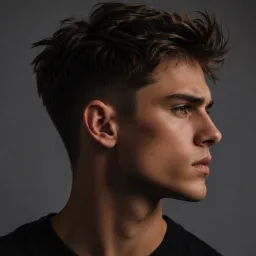
Motion transfer AI lets you take the movement from one video — a dance clip, a walk cycle, a gesture — and put it on a completely different character. You keep your character's face, outfit, and style; you borrow only the motion. I run motion transfer jobs almost daily building Motion Control AI, and the biggest surprise for most newcomers isn't the technology. It's that success is decided before you press Generate: by which motion video you picked, whether you're even allowed to use it, and how well it matches your character.
This guide covers the full workflow: what motion transfer AI can and can't copy, a simple rule for predicting whether a pairing will work, where to source motion videos legally, and how to tune the process for dance content, game previz, VTuber clips, and brand mascots.
What motion transfer AI can copy — and where it taps out
Motion transfer AI extracts body movement from a "driving" video and re-renders it on your character, so the character performs the same actions while keeping its own identity. Current systems handle full-body motion like walking, running, and dance routines well, and the best ones also carry over hand gestures, facial expression, and lip movement — Kling's motion control documentation explicitly lists intricate hand movements and facial expressions as preserved.
But there are hard edges, and knowing them saves you wasted credits:
- One performer at a time. Nearly every tool is optimized for a single, clearly visible subject. Two dancers in frame confuse pose extraction.
- Occlusion breaks tracking. When limbs disappear behind furniture, props, or the performer's own body, the pose estimator has to guess — and research on motion transfer from poses in the wild treats occlusion and background clutter as core unsolved challenges.
- Extreme choreography degrades. Academic evaluation found that pose transfer models struggle with complex motions like dance and sports, producing jitter and unnatural acceleration in the hardest sequences.
- Camera movement fights character movement. Rapid zooms and tracking shots force the model to choose between reproducing the camera or the body, per Kling's own guidance.
The mental model: the AI can only transfer motion it can see, cleanly, on one human-shaped subject. Everything else in this guide follows from that.
The Match Rule: four alignments that decide your result
After hundreds of generations, I can usually predict whether a motion transfer will succeed before running it. The heuristic I use — call it the Match Rule — checks four alignments between your motion video and your character:
- Framing match. Full-body motion video needs a full-body character image; half-body needs half-body. If the driving video shows feet doing footwork but your character is cropped at the waist, the model invents legs — badly.
- Proportion match. Motion transfer models are trained overwhelmingly on realistic human bodies. Drive a big-headed chibi mascot with a real dancer's long-legged stride and the system either "normalizes" your character back toward human anatomy or melts its limbs. Research on neural human motion transfer works precisely because it models plausible human structure — stray far from humanoid proportions and you leave the training distribution.
- Orientation match. Most tools reason in 2D image coordinates, not true 3D. If your character image is frontal but the performer turns to profile, the model must hallucinate a side view it has never seen. Small turns are fine; 90-degree rotations are where torsos twist.
- Camera stillness. A locked-off, tripod-style motion video gives the model pure body motion. Pans, zooms, and cuts contaminate the signal.
Score a pairing on these four checks before generating. Three or four matches: expect a usable result. Two or fewer: fix the inputs first — no setting will save you.
A real example from my own queue: a round-bodied mascot character driven by a fast hip-hop clip failed twice — legs stretched toward human length mid-spin (proportion mismatch) and the torso twisted when the dancer turned to profile (orientation mismatch). Swapping the driving video for a front-facing groove with small steps fixed both on the next pass, with zero settings changed. The motion transfer AI wasn't the problem; the casting was.

The Match Rule: four alignments between your motion video and your character, checked before you spend a single credit.
Where to get motion videos you're allowed to use
This is the part most motion transfer AI tutorials skip, and it matters more than any slider. The video whose motion you copy has two layers of rights: copyright in the clip itself, and — for dance — potential copyright in the choreography.
The TikTok gray zone. US law explicitly protects choreographic works when they're original, expressive, and fixed (a recorded TikTok counts as fixed). The Fortnite emote lawsuits showed the boundary: claims over short moves like the Carlton were dropped largely because the Copyright Office declined to register brief routines as choreography — but legal scholarship argues many longer viral routines are complex enough to qualify for protection. And the US Copyright Office's ongoing AI study makes clear that the status of copyrighted material used as AI input is still unsettled. Translation: reanimating a recognizable viral dance for a monetized video is legally risky; for private experiments the stakes are lower but not zero.
Safer sources, in the order I recommend them:
- Film it yourself. Total control, zero rights ambiguity (get a simple release if the performer isn't you). Ten seconds on a phone with a tripod is enough.
- Free stock video. The Pexels license and Pixabay license both allow modification and commercial use of their clips, which covers using them as motion references.
- Mocap libraries. Rendered animation clips from libraries like Mixamo are explicitly designed for motion reuse in commercial projects.
- Licensed choreography. For branded campaigns built on a specific dance, get written permission from the choreographer.
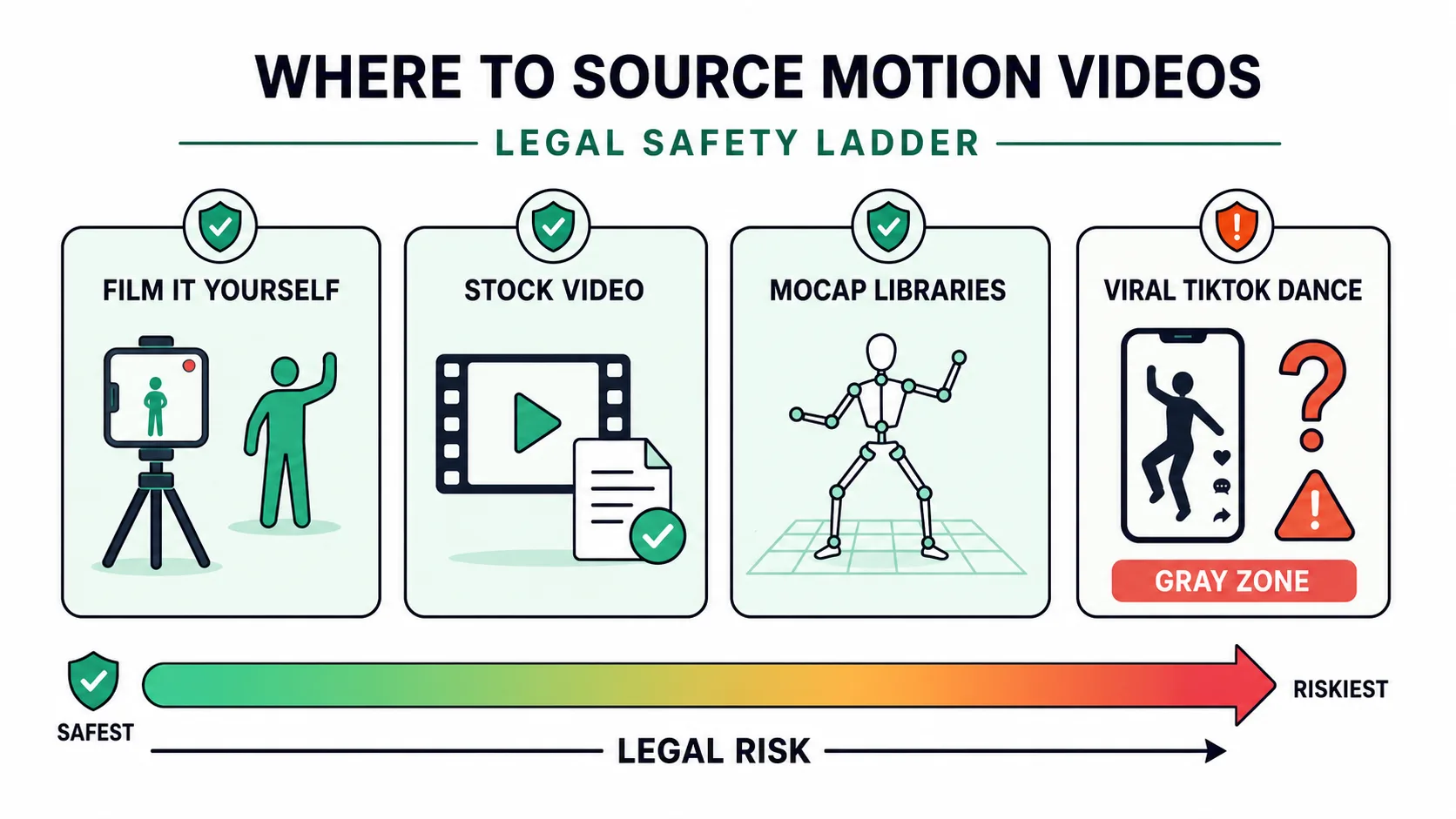
Motion sources ranked by legal risk: your own footage, stock video, and mocap libraries are safe; viral choreography is a gray zone.
Preparing your character input
Motion transfer AI is only as good as the character input you hand it. Your character can be an image or a video, but either way the same preparation rules apply — and they mirror the Match Rule:
- Show everything that will move. Head-to-toe visibility with padding around the figure, so limbs never hit the frame edge mid-motion.
- Neutral, front-facing pose. Relaxed stance, arms slightly away from the torso, legs separated enough that the silhouette reads clearly. Crossed arms bake self-occlusion into your input.
- Clean, contrasting background. Busy backgrounds bleed into the character during motion.
- Adequate resolution. In my runs, anything below roughly 512 pixels on the short side loses face detail first; I upload 1024 or higher for anything client-facing.
- Even lighting. Harsh shadows across joints degrade both identity preservation and motion mapping.
How to transfer motion with AI, step by step
Once your inputs pass the Match Rule, the actual transfer is the easy part. Here's the loop using the free Motion Control AI generator, which runs Kling's motion control models in the browser — no GPU or editing skills needed:
- Upload your character (the image or video whose identity you want to keep).
- Upload your motion video (the movement source you prepared above) — this is what the motion transfer runs from.
- Choose orientation — whether output follows the motion video's length or a shorter image-led clip.
- Pick resolution: 720p for test passes, 1080p for finals.
- Generate, review, and re-roll once or twice — cherry-picking the best of two or three passes is normal professional practice, not failure.
Draft at 720p until the motion reads correctly, then rerun the winning setup at 1080p. Motion problems never fix themselves at higher resolution; they just render more sharply.
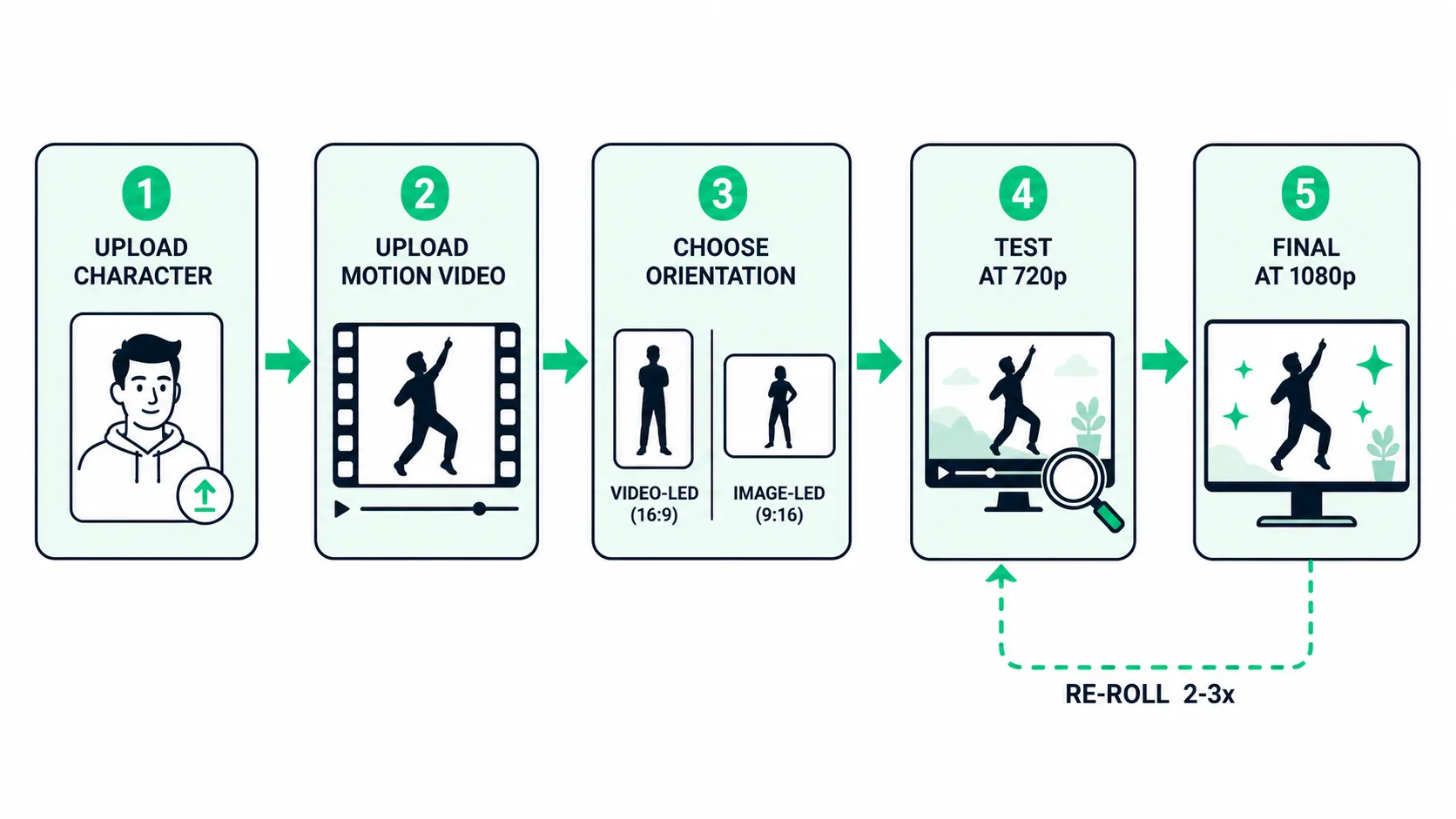
The five-step loop: draft cheap at 720p, re-roll two or three times, then rerun the winning setup at 1080p.
Dial it in by scenario
Different projects tolerate different flaws from motion transfer AI. A TikTok viewer forgives a flickering hand; a brand manager reviewing a mascot video does not.
| Scenario | Priority | What to adjust |
|---|---|---|
| Dance / TikTok content | Expressive full-body energy | Single dancer, static camera, 5–15s clips; skip floor work and flips |
| Game animation previz | Readable poses and timing | Match character proportions to the in-game model; moderate motion complexity |
| VTuber / avatar clips | Face stability | Upper-body framing, unoccluded face in the driving video, modest head turns |
| Brand mascot videos | Design fidelity | High-res character art, slow simple motions, multiple passes and manual selection |
The stylization trade-off runs through all four: the further your character sits from human proportions, the simpler the motion you should feed it. A chibi mascot doing a gentle wave looks great; the same mascot attempting a k-pop routine collapses.
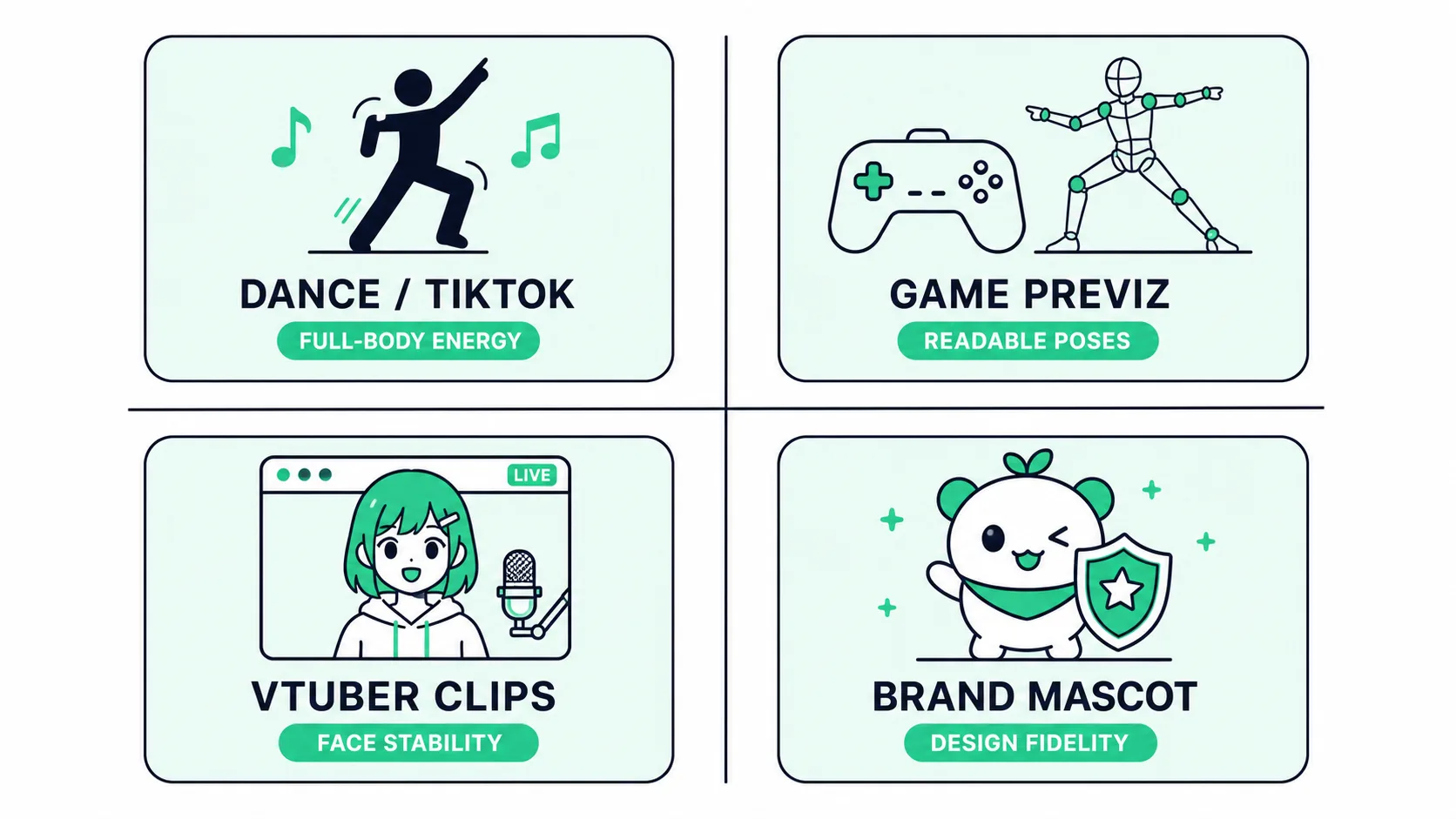
Each scenario forgives different flaws — know your priority before you tune anything.
Frequently asked questions
Do I need motion capture equipment for motion transfer AI?
No. That's the point of the technology — the AI extracts motion directly from ordinary video. A phone clip on a tripod is a perfectly good motion source, and browser-based tools handle all the compute.
Can I use any video from TikTok or YouTube as a motion source?
Technically yes — motion transfer AI tools accept any clear video. Legally it depends: the clip is copyrighted, and longer choreographed routines may carry separate choreography copyright. For commercial or monetized output, use your own footage, permissively licensed stock, or get permission. See the sourcing section above.
Why does my character's face change during the video?
Usually an input problem: low-resolution character art, a face partially occluded in the driving video, or extreme motion pulling the model away from identity preservation. Raise character resolution, choose a cleaner motion clip, and test at shorter durations.
Does motion transfer AI work on non-human characters?
It works best on humanoid characters — a head, torso, and four limbs the pose estimator can map to. Heavily stylized proportions still work if you keep motions simple and short. Fully non-humanoid subjects (a car, a blob) are outside what current pose-driven systems handle reliably.
Start with the match, not the model
Motion transfer AI has quietly become the fastest way to animate a character: no rigging, no keyframes, no mocap suit. But the quality ceiling is set by your inputs, not the generator. Check the four alignments — framing, proportions, orientation, camera — source your motion video from somewhere you're allowed to use, and prepare a clean character input. Do that, and even your first attempt in a browser-based tool like Motion Control AI will land closer to the demo reels than to the horror-show fail compilations. The model does the choreography; you just have to cast it well.
References
- Kling AI — Ultimate Guide to Kling Video 2.6 Motion Control
- Human Motion Transfer from Poses in the Wild (arXiv)
- Can Pose Transfer Models Generate Realistic Human Motion? (arXiv)
- High-Fidelity Neural Human Motion Transfer from Monocular Video (CVPR 2021)
- University of Pennsylvania Libraries — Dance and Copyright
- Berklee Online — Can You Copyright Choreography?
- Washington Law Review — Copyrighting TikTok Dances
- U.S. Copyright Office — Copyright and Artificial Intelligence
- Pexels — License
- Pixabay — License Summary
- Adobe Mixamo
Ready to try motion transfer AI?
Grab a character image and a ten-second motion clip — run your first transfer in the browser, no editing skills or GPU required.
Open the Free Generator →